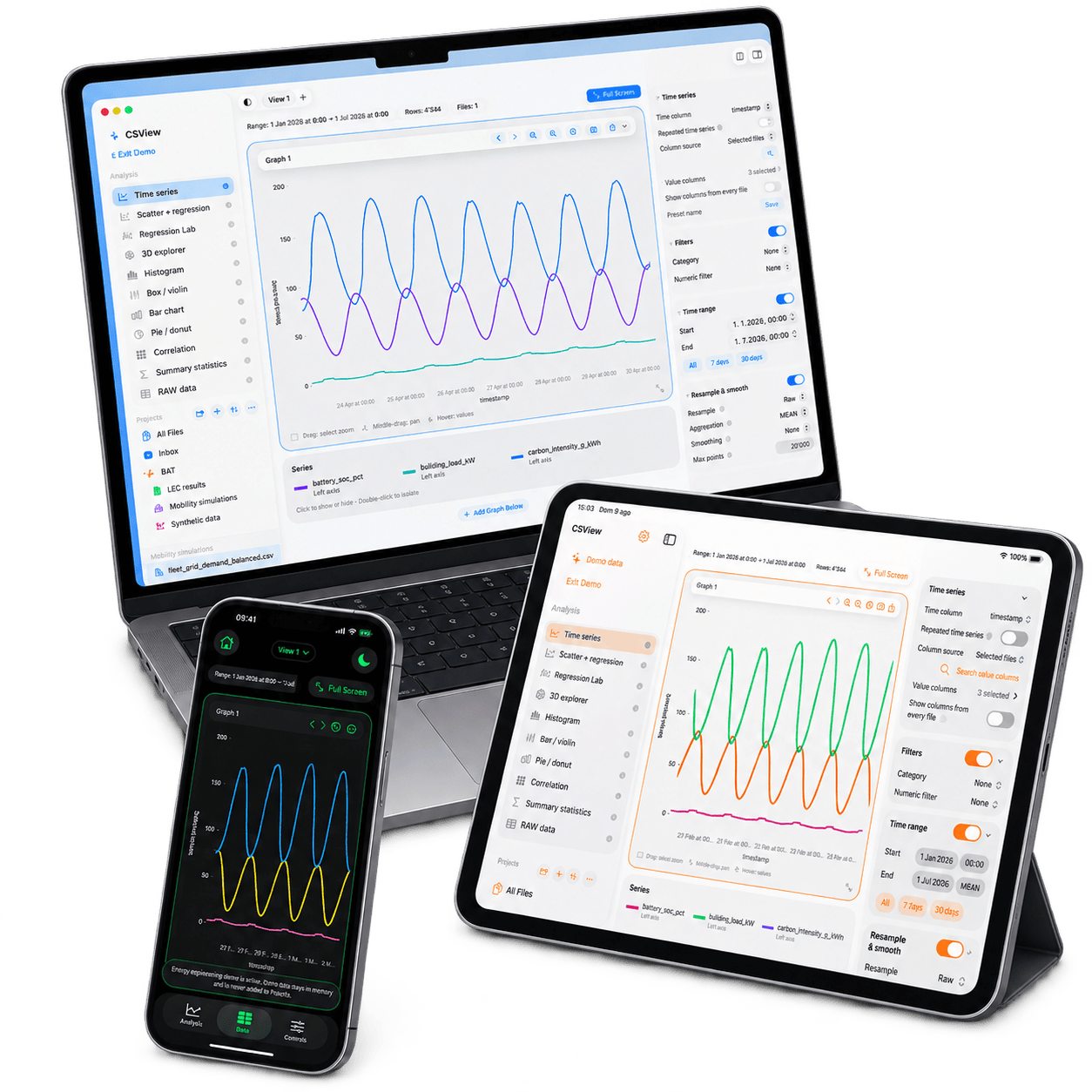
Native on iPhone, iPad & Mac

Your CSV has a story.
See it in seconds.

Open a CSV. Explore it with interactive charts. Export the plot, PDF or filtered rows that move the work forward.

11 analysis modes4 export formats3 Apple platforms
4,344rows ready
17:30crossover
energy-export.csvlive
Responsive chart preview for Time series.
InsightDemand crosses solar at 17:30 — check the evening import.
The real app

Start with the file.
Switch the view.

Actual PlotPeek captures. Change the analysis until the structure of the file and the question you are asking meet in one clear view.

Why PlotPeek

The fast first look
before the deeper work.

Spreadsheets, monitoring dashboards and publication tools are built for depth, repeatability or polished reporting. PlotPeek complements them at the moment a file arrives: understand it quickly, export what matters, then continue in the right tool.

01

Open

Bring in a CSV. Delimiters and common date formats are handled for you.

02

Understand

Zoom, pan, filter, compare and switch analysis without rebuilding your workspace.

03

Act

Export a plot, PDF, image or filtered CSV—the useful part, ready for the next move.

Three quick decisions

One file can hold
the next move.

From a sensor export to a ledger or thesis result, PlotPeek shortens the distance between receiving data and knowing what to do next.

Need a different workflow? Open four more examples without adding more weight to the page.

Customise your view

Make it yours.
See it your way.

Choose the analysis that fits the file, then personalise series colours, chart styling and appearance across iPhone, iPad and Mac.

PlotPeek with customised time-series colours on Mac, iPad and iPhone
Mac
iPhone
iPad

Different analyses, colours and appearances—shown in current PlotPeek captures across all three devices.

Time seriesScatter + regressionHistogramBox + violin3D explorerCorrelationBar + pieRaw data
Light to open. Deep enough to matter.

The useful analysis, without the setup ceremony.

Start with the chart you need, keep the controls close, and export in the format your next step expects.

Explore every feature
🔎Explore

Zoom, pan, hover, filter, resample and smooth.

📈Analyse

Time series, distributions, regression, correlation and 3D views.

🗂️Organise

A native Library, folders, saved views and an incognito workflow.

📤Export

PNG, JPEG, PDF and a filtered CSV ready for the next tool.

PlotPeek community

Questions, bugs or ideas?
Bring them to Discord.

Ask how something works, report a bug, request a feature or discuss the data workflows where PlotPeek could help.

Join the PlotPeek Discord
Ask questions

Get help understanding a feature or workflow.

Report bugs

Share what happened so it can be investigated.

Request features

Suggest what would make PlotPeek more useful.

Discuss workflows

Compare ideas with people working with data.

TestFlight beta · now open

See the data.
Take the action.

PlotPeek is now available in a limited TestFlight beta on iPhone, iPad and Mac. Join to try it and help shape what comes next.

Join PlotPeek on TestFlight ↗

Crafted with ♥️ in 🇨🇭